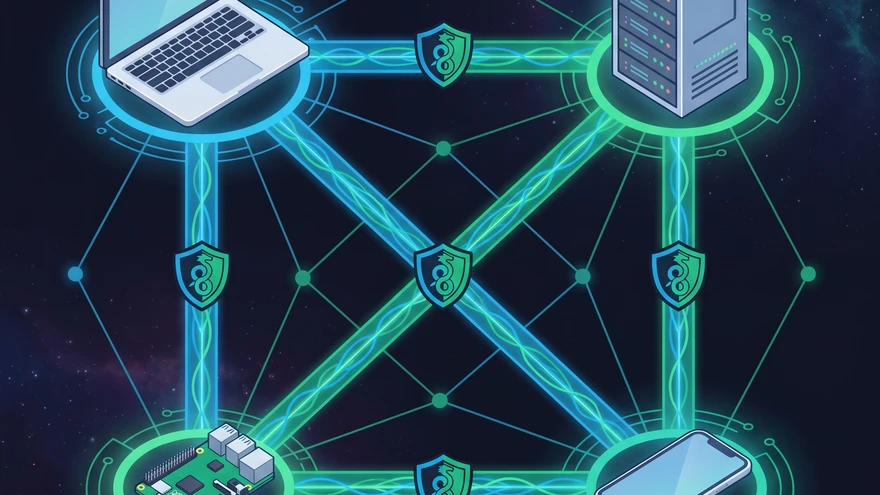
Opening up ports on a home router just to SSH into a local Raspberry Pi usually ends in endless NAT headaches or exposing your network to automated bot scanners. Tailscale bypasses these firewall nightmares entirely by creating a secure, zero-config mesh network right on top of your existing infrastructure.
- Underlying Protocol: WireGuard (Peer-to-Peer Mesh)
- Free Tier Limits: Up to 100 devices, 3 users
- Quick Install (Linux):
curl -fsSL https://tailscale.com/install.sh | sh && tailscale up - Public Web Exposure: Available via Tailscale Funnel (HTTPS)
- Key Management: Handled automatically via Identity Provider (OAuth)
How Tailscale Works Under the Hood
WireGuard Data Plane vs. Control Plane
The system achieves its speed by splitting network operations into two distinct layers. Your actual traffic flows directly from device to device utilizing the extremely fast WireGuard protocol. Tailscale's proprietary coordination server never touches your packets. It strictly acts as a control plane to manage public keys, route discovery, and authentication.
When P2P Fails: The Role of DERP Relays
Direct peer-to-peer connections sometimes fail due to strict corporate firewalls or complex router configurations. When this happens, Tailscale silently falls back to its global network of DERP (Designated Encrypted Relay for Packets) servers. Your connection remains completely intact and encrypted. You might notice a slight bump in latency, but your workflow never breaks.
Essential Tailscale Concepts
MagicDNS and Node Discovery
Memorizing random 100.x.y.z IP addresses across multiple environments is incredibly inefficient. MagicDNS automatically registers every device on your network under a private, consistent domain. You simply type ping database-server in your terminal instead of digging through IP assignment logs.
Exit Nodes vs. Subnet Routers
A subnet router exposes an entire physical local network to your tailnet. You run it on a single machine, instantly gaining access to printers, smart bulbs, and older servers that cannot run the Tailscale client.
An exit node serves a completely different purpose. It forces all your device's internet traffic through a specific machine on your tailnet. This mirrors the exact behavior of a traditional commercial VPN, masking your public IP while browsing on untrusted public Wi-Fi.
Real-World Developer Workflows
Bypassing CGNAT for Homelab Access
Carrier-Grade NAT (CGNAT) completely breaks traditional port forwarding, making self-hosted homelabs inaccessible from the outside world. Tailscale punches right through CGNAT constraints using advanced UDP hole-punching techniques. You access your Proxmox cluster or Kubernetes nodes from a coffee shop without touching a single router setting.
The WSL2 Quirk: Host Machine vs. Container Setup
Running Tailscale directly inside a WSL2 Linux distro is a very common configuration mistake. The WSL2 instance natively shares the network stack of the Windows host. Install the Tailscale client directly on your Windows host machine, and your WSL environment will automatically gain full tailnet access. For a deeper look at when the host-native setup is sufficient, the WSL2 vs Native Linux breakdown is worth reading.
Remote VS Code SSH over Tailnet
Tailscale SSH completely removes the burden of generating, distributing, and rotating SSH keys across multiple workstations. Authentication happens seamlessly through your existing Tailscale identity provider. If you prefer managing your own keys, setting up an SSH server on your home computer gives you full control of the authentication chain, but Tailscale's approach is significantly simpler for multi-device setups. This makes VS Code Remote Development via SSH a frictionless, highly secure experience across all your devices.
Secure CI/CD with GitHub Actions
Exposing a staging database or internal API to the public internet for CI/CD pipelines introduces a massive security risk. Injecting Tailscale directly into your GitHub Actions workflow securely bridges your ephemeral test runners to your private infrastructure.
steps:
  - name: Tailscale
    uses: tailscale/github-action@v2
    with:
      oauth-client-id: ${{ secrets.TS_OAUTH_CLIENT_ID }}
      oauth-secret: ${{ secrets.TS_OAUTH_SECRET }}
      tags: tag:ci

  - name: Run Integration Tests
    run: |
      curl http://private-staging-api:8080/health
Exposing Local Services: Serve and Funnel
Localhost development often requires sharing a live preview with a client or testing webhooks. tailscale serve securely binds a local development port directly to your tailnet. Only authenticated members of your network can see it.
When you need outside access, tailscale funnel pushes that local port out to the public internet. It automatically provisions a Let's Encrypt TLS certificate and provides a secure, public-facing URL. You share your active development branch instantly without dealing with complex deployment pipelines or third-party tunneling services.
Tailscale vs. Self-Hosted Headscale
Self-hosting purists often look to Headscale as an open-source alternative to the proprietary coordination server. Headscale gives you absolute, uncompromising control over the control plane and user management. Your infrastructure becomes entirely independent.
However, choosing Headscale means sacrificing convenience. You lose the seamless native iOS/Android client experience and take on the permanent burden of maintaining, patching, and securing the coordination server yourself. For most developers, the official free tier provides enough value to outweigh the self-hosting overhead.
Common Pitfalls and Troubleshooting
Machines suddenly dropping off the tailnet usually trace back to unnoticed key expiration. Tailscale requires node re-authentication every few months by default to maintain strict security. You must explicitly disable key expiry for permanent servers in the admin console to prevent unexpected downtime.
If the central Tailscale coordination server experiences an outage, your network does not immediately collapse. Existing active WireGuard connections remain completely functional and secure. You just cannot add new nodes, modify ACLs, or establish connections between devices that have not recently communicated until the control plane comes back online.