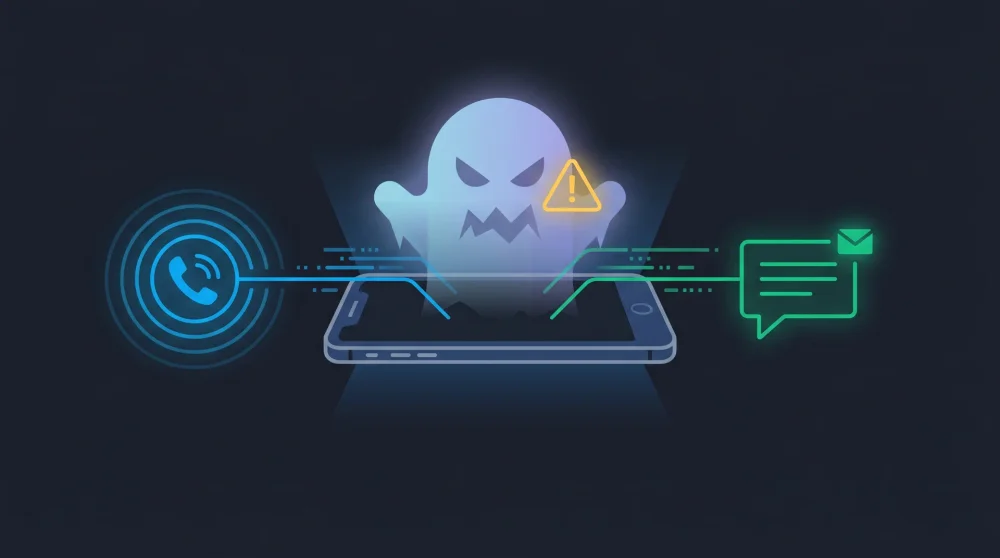

Answering an unknown call or opening a strange text message often sends immediate panic about hidden malware silently taking over your device. The reality is that basic telecom protocols handling standard voice calls and SMS texts completely lack the execution layers required to run malicious code directly.
| Threat | Requires Your Action? | Risk Level |
|---|---|---|
| Standard phone call / SMS | No action needed, no risk | None |
| Zero-Click Exploits | No action needed | Very low (targets high-profile individuals) |
| Smishing (SMS link) | Must tap the link | High (mass automated attacks) |
| Vishing (voice call) | Must follow instructions | High (mass automated attacks) |
The Short Answer: Can Merely Answering a Call Hack Your Phone?
Picking up a standard cellular call or opening your messaging app to read a plain text will not compromise your device. Cellular networks transmit voice data and text characters, not executable programs. A hack requires a payload to run on your operating system.
Your device remains secure as long as you do not interact with external links, download attachments, or follow instructions given by a malicious caller. The actual danger lies in how modern smartphones process complex data within third-party applications.
Zero-Click Exploits: The Invisible Threat
This is the only scenario where your phone gets compromised without you doing anything. Zero-click exploits do not rely on tricking you into clicking a link. They abuse hidden vulnerabilities in how your phone processes incoming data behind the scenes.
How Pegasus and Platform Bugs Work
Hackers find flaws in the way messaging apps parse received metadata, images, or audio files. In 2019, the NSO Group's Pegasus spyware famously exploited WhatsApp's VOIP call handler. A missed call was enough to force the app to execute a malicious payload and install spyware deep into the system, without the victim ever answering.
Google Project Zero has documented similar zero-click vulnerabilities within iMessage. The system tries to render a preview of a maliciously crafted message, and that rendering process alone triggers the exploit.
Who Is Actually Targeted?
Almost certainly not you. Developing a reliable zero-click exploit costs millions of dollars. Attackers reserve these tools for high-value targets like journalists, political dissidents, and government officials. For the average user, the risk of a zero-click attack is very low, though the underlying platform bugs are a genuine architectural flaw that only OS updates can fix.
Smishing: The Malicious Link in Your Texts
Smishing is the most common text-based attack you will encounter. You receive an SMS message containing a link. Reading the text itself is completely harmless. The hack only activates when you tap the link and land on a compromised website.
These fake websites are designed to look identical to legitimate login portals for your bank, email provider, or shipping service. Their goal is to steal your credentials or trick you into downloading a malicious app.
Red flags of a fake text message:
- Extreme urgency - Messages demanding immediate action about suspended accounts or blocked deliveries
- Suspicious links - Shortened URLs or domain names with typos (amaz0n.com, paypa1.com)
- Unknown senders - Messages from random numbers instead of verified business profiles
- Unsolicited prizes - You won a contest you never entered
Vishing: The Social Engineering Call
Vishing relies entirely on psychological manipulation rather than technical exploits. A caller impersonates a trusted authority figure such as a bank representative, tech support agent, or government official. The call itself does not infect your phone.
The attacker uses a scripted panic scenario: your account is compromised, your device is sending spam, your tax ID has been flagged. The actual harm happens when you follow their instructions.
Three things to never do on an unsolicited call:
- Never read aloud a one-time password (OTP) or two-factor authentication code sent to your device
- Never install remote desktop apps like AnyDesk or TeamViewer at the request of a cold caller
- Never authorize money transfers or purchase gift cards during a call you did not initiate
Active vs. Passive Risk: What You Actually Need to Worry About
Zero-click exploits happen invisibly. You cannot outsmart them through behavior, but you also do not fit the profile of a target worth millions to attack. Keeping your OS and apps updated closes the parsing bugs these exploits rely on.
Smishing and vishing are cheap, automated, and sent to millions of numbers daily. Your real risk level depends entirely on your ability to recognize social engineering and stop yourself from tapping unknown links or sharing sensitive codes.
How to Protect Your Device
Update everything, always. Zero-click exploits target known, unpatched vulnerabilities. iOS and Android security patches close these holes within days of discovery.
Enable Lockdown Mode (iPhone, high-risk users). This setting blocks most message attachments, complex web technologies, and FaceTime calls from unknown contacts. It drastically reduces the zero-click attack surface for journalists and activists.
Use reliable security software. A good antivirus app flags dangerous downloads and blocks access to known phishing domains embedded in SMS links before your browser loads them.
Lock down your messaging apps. Many users wonder if someone can hack their WhatsApp just by knowing their phone number. The answer depends almost entirely on your security configuration. Enable two-step verification and disable automatic media downloads to prevent malicious files from auto-parsing in the background.
The pattern across all three threat types is the same: the call or text initiates contact, but the damage only happens when software bugs go unpatched or when you take action you should not. Keep systems updated and treat urgency in any unsolicited communication as a manipulation tactic, not a real emergency.