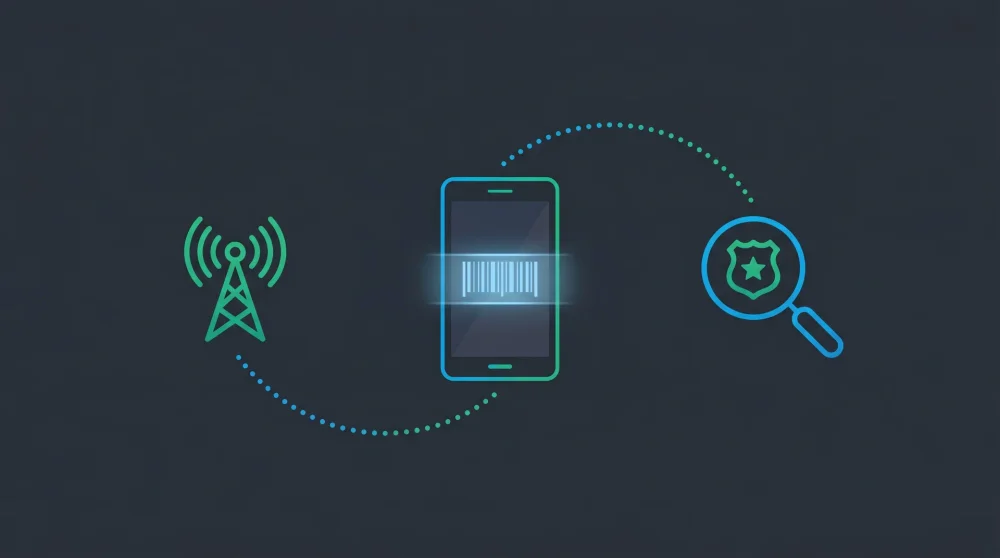
Typing your 15-digit IMEI into a random online tracker will not magically reveal your stolen phone's real-time GPS location. These consumer tracking sites are data-harvesting scams that prey on panic, while the actual recovery process requires strict coordination between your carrier and law enforcement. Follow this workflow to secure your data, involve the authorities, and actually trace your device.
| What IMEI Can Do | What IMEI Cannot Do |
|---|---|
| Blacklist device from all carrier networks | Show real-time GPS location to consumers |
| Help police subpoena cell tower logs | Bypass carrier privacy restrictions |
| Trigger manufacturer activation lock | Track a device that is powered off |
The Big Myth: Can You Actually Track a Phone's GPS via IMEI?
The International Mobile Equipment Identity number acts like a vehicle identification number for your smartphone. It identifies the physical hardware connecting to a cellular network. It does not communicate with GPS satellites.
When your device pings a cell tower, your carrier logs the IMEI and the tower's location. This process allows network providers to triangulate a rough physical area. However, telecom companies keep these logs strictly confidential for privacy reasons.
They will never hand over a real-time map of your IMEI's location just because you ask for it on a customer service call. You need legal leverage to unlock that data.
The Correct 6-Step Recovery Workflow
Step 1: Locate Your 15-Digit IMEI Number
You cannot start the recovery process without this number. If you still have the phone and want to record it for safekeeping, open your dialer and type *#06#. The screen instantly displays your unique identifier.
If the device is already missing, check the original retail box. Manufacturers print the IMEI number on a barcode sticker near the bottom edge. Alternatively, log into your cellular carrier's web portal and check your device details under your account dashboard.
Step 2: Use Built-In GPS Tools First
Panic often makes people jump straight to calling the police, but built-in software is much faster. Open Google Find My Device (Android) or Apple Find My (iPhone) on a computer or a friend's phone.
These services use the actual GPS hardware inside your missing device. As long as the phone remains powered on and connected to the internet, you get a highly accurate location on a map. If the phone is just sitting under a car seat, this step saves you hours of paperwork.
Step 3: File an Official Police Report
Once you confirm the phone is stolen or permanently lost, go to the police. Law enforcement agencies require an official report to dedicate resources to the theft.
Give the investigating officer your 15-digit IMEI. They use this specific number to draft a subpoena or a formal request to cellular carriers. This legal document forces the telecom company to hand over the cell tower connection logs, revealing exactly where the thief took your hardware.
Step 4: Request IMEI Blacklisting from Your Carrier
Call your network provider immediately after leaving the police station. Provide your account details and the fresh police report number.
Ask the representative to add your device to the GSMA IMEI database. This global blacklist prevents the phone from connecting to almost any major cellular network in the world. Even if the thief swaps the SIM card, the hardware itself becomes a brick incapable of making calls or using mobile data.
Step 5: Secure Your Data and Social Accounts
Thieves often attempt to bypass lock screens to access banking apps and private messages. Change your primary email passwords to force a logout on the missing device.
Note that the threat level escalates drastically when a criminal physically holds your active SIM card, since they can use it to intercept verification codes, similar to how WhatsApp accounts get hijacked via SIM swap. Call your carrier to deactivate the old SIM and provision a new one for a replacement phone.
Step 6: Trigger Manufacturer Locks
Both Apple and Google offer hardware-level activation locks. Mark the device as lost in your iCloud or Google account dashboard.
This action encrypts the motherboard. Even if a thief factory resets the phone through the recovery menu, the setup screen will demand your original email and password. The device remains completely useless for resale.
Warning: Avoid Online Free IMEI Tracker Websites
A quick search yields hundreds of websites promising free, instant IMEI tracking on a map. Every single one of these platforms is fraudulent.
They cannot access private telecom databases or ping your phone. Instead, these sites collect active, clean IMEI numbers from panicked victims. Scammers then flash your clean IMEI onto blacklisted, stolen phones to trick cellular networks into letting them back online. Typing your data into these sites actively helps criminal syndicates.
What to Do When You Finally Recover Your Device
Getting your device back from the police or a good Samaritan is a relief, but the phone might behave strangely after being locked down. Software glitches are common after a remote freeze. You might need to force restart your iPhone to clear the cache and get the touchscreen responding normally again.
If you triggered a remote wipe to protect your data, the phone boots up completely empty. Keep your home network credentials handy, or quickly check how to find your WiFi password on Android using a backup device so you can start downloading your cloud backups immediately.
IMEI blacklisting will not physically return your phone, but it makes the device worthless on any cellular network. Combined with activation lock and a police report, you have done everything within your power to protect your data and remove the financial incentive for resale.