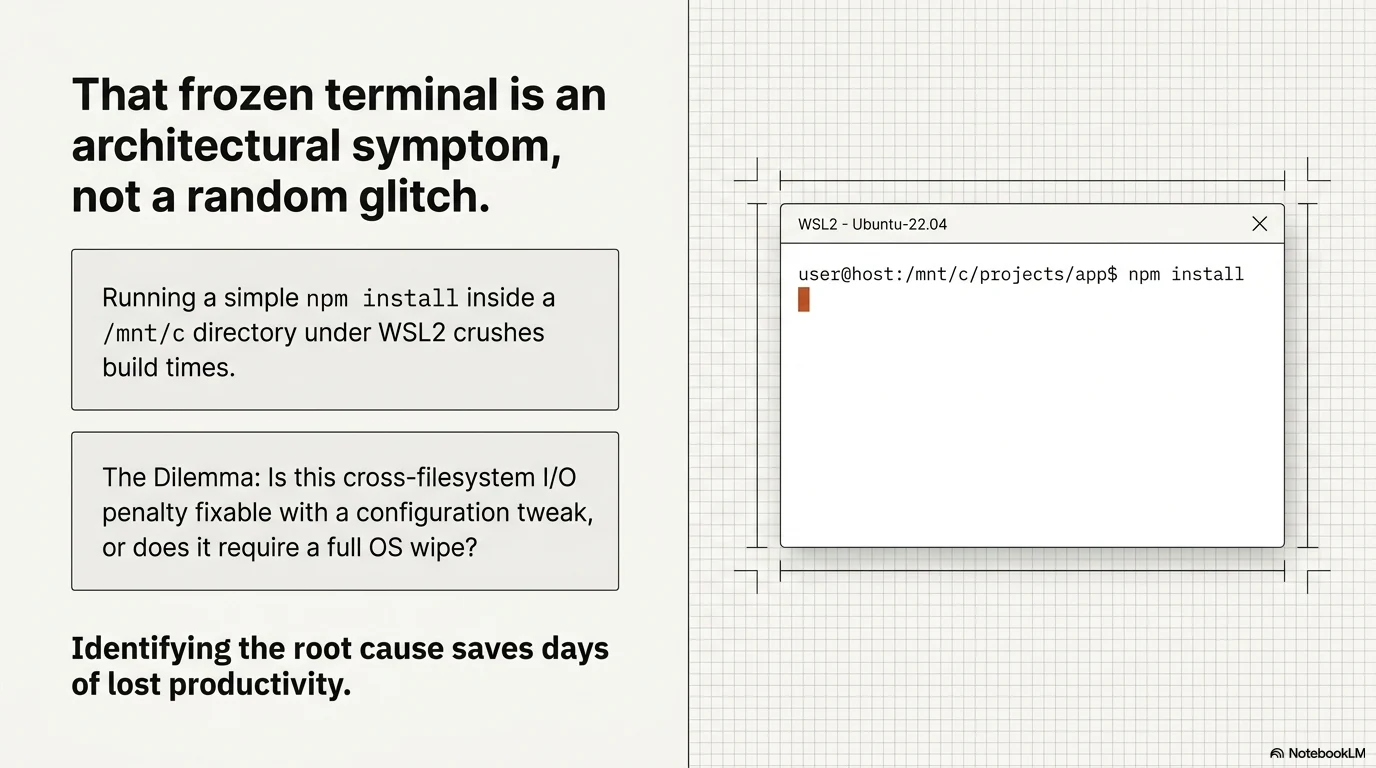
Running a simple npm install inside a /mnt/c directory under WSL2 and watching your terminal freeze is the exact moment most developers question their setup. The cross-filesystem I/O penalty crushes build times, and identifying whether you need a configuration tweak or a full OS wipe saves days of lost productivity.\r\n\r\n\r\n
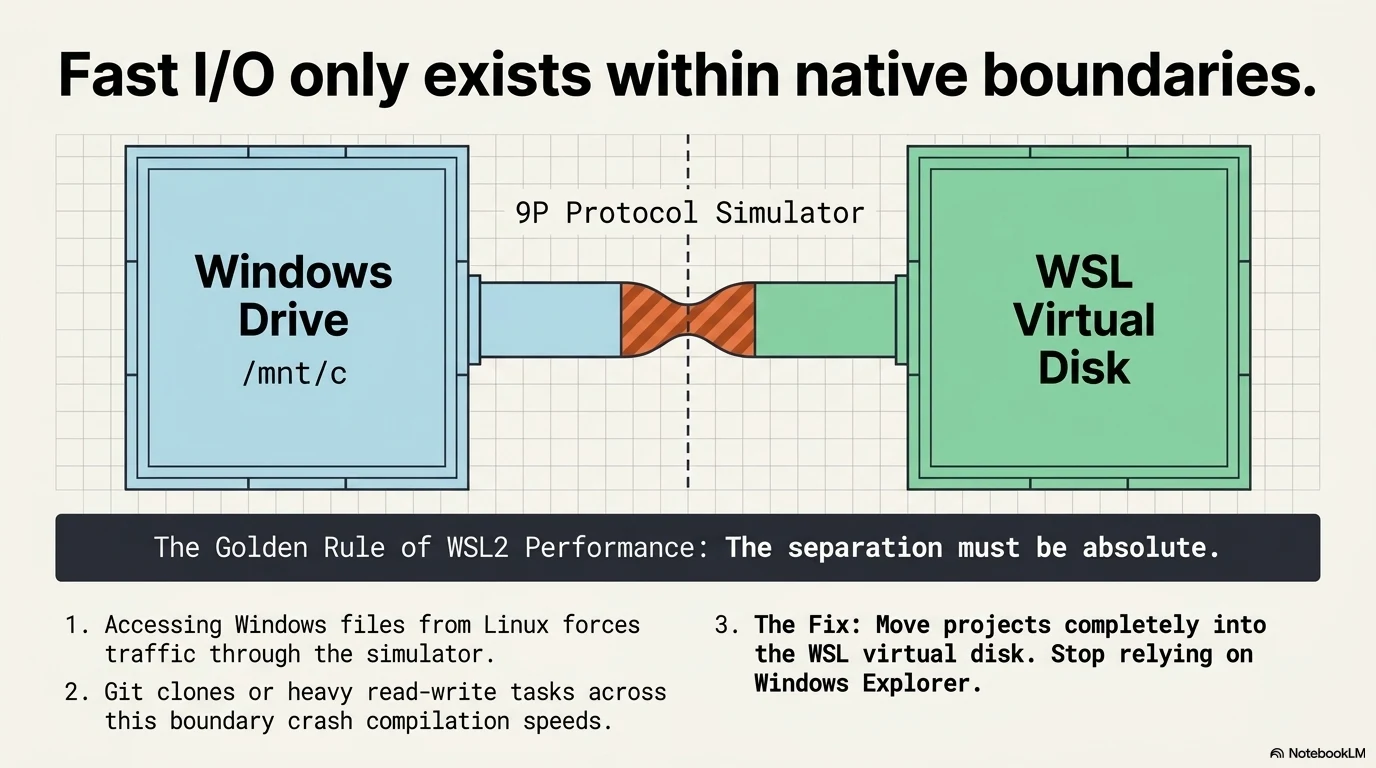
\r\n| Workflow Type | Recommended Setup | Primary Bottleneck |\r\n|---|---|---|\r\n| Web Development (Node, React) | WSL2 | Cross-filesystem I/O |\r\n| Cloud Infrastructure (AWS, Terraform) | WSL2 | Memory allocation (vmmem) |\r\n| Embedded Systems (Serial, USB) | Native Linux | Hardware passthrough blocks |\r\n| Heavy Docker Orchestration | Native Linux | Kernel module restrictions |\r\n\r\n## The Golden Rule of WSL2 Performance: Filesystem Boundaries\r\n\r\nAccessing Windows files from Linux or vice versa through the 9P protocol simulator is a massive performance killer. Git clone operations or heavy read-write tasks on your Windows drive crash your compilation speeds instantly. Moving your projects completely into the WSL virtual disk solves the majority of perceived latency issues. Managing your workflow entirely within the native Linux environment without relying on finding your Linux directory from the Windows file explorer keeps I/O speeds near-native. The separation must be absolute.\r\n
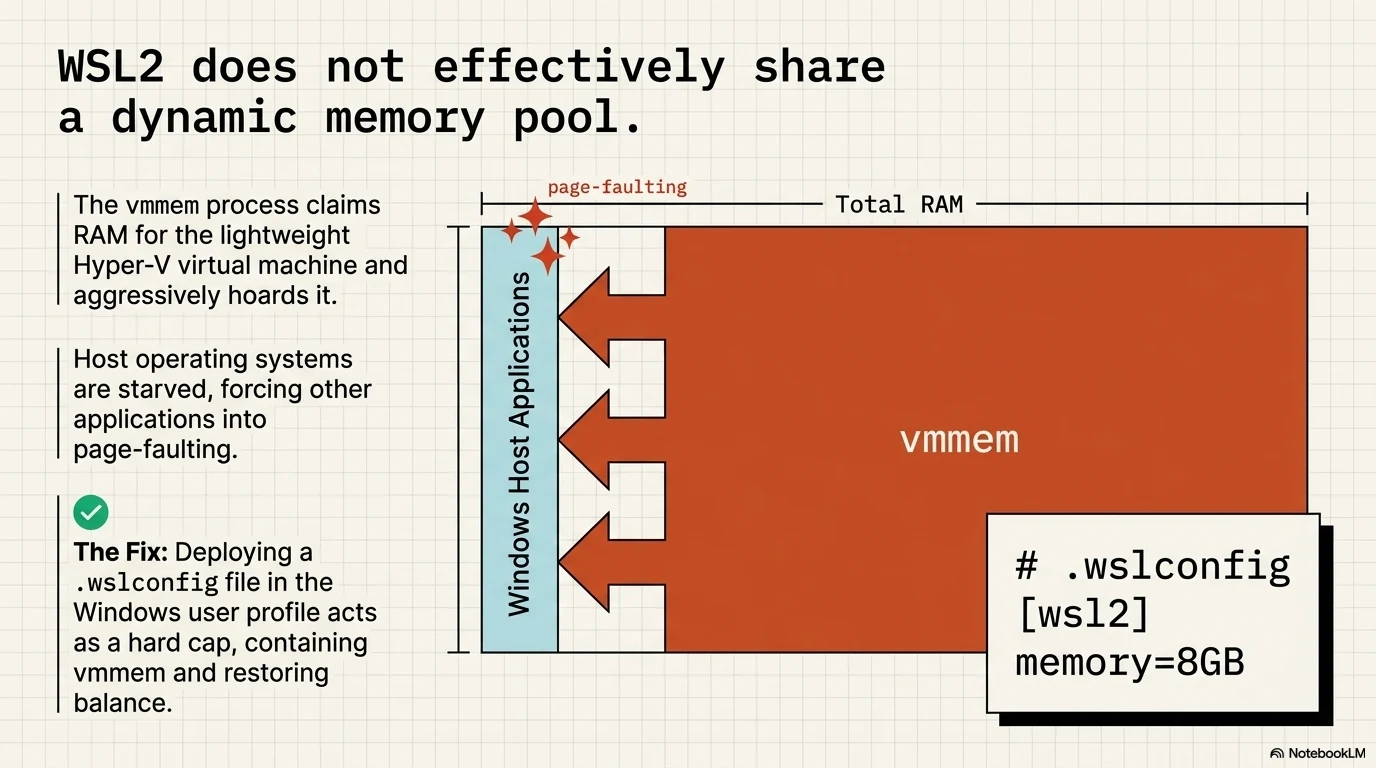
\r\n\r\n## The Resource War: Windows vs. vmmem\r\n\r\nWSL2 does not share a dynamic memory pool with Windows effectively. The vmmem process claims RAM for the lightweight Hyper-V virtual machine and aggressively holds onto it even after you close your terminal. Your machine runs out of memory, and other applications start page-faulting. Creating a .wslconfig file in your Windows user profile limits this aggressive RAM consumption. Capping the memory allocation stops vmmem from starving your host operating system.\r\n
\r\n\r\n## Where WSL2 Fails Silently (Docker & Hardware)\r\n\r\nVirtualization abstracts hardware access, and WSL2 relies heavily on this abstraction. You hit a hard wall when your tools need direct communication with the kernel or physical ports.\r\n\r\n### The Docker Testcontainers Ryuk Bug\r\n\r\nRunning automated integration tests with Docker Desktop inside WSL2 frequently results in hanging processes. The Testcontainers Ryuk resource reaper silently fails to clean up containers due to network bridge quirks in the WSL environment. Setting the environment variable TESTCONTAINERS_RYUK_DISABLED=true bypasses this silent failure completely. Your test suites run smoothly again.\r\n
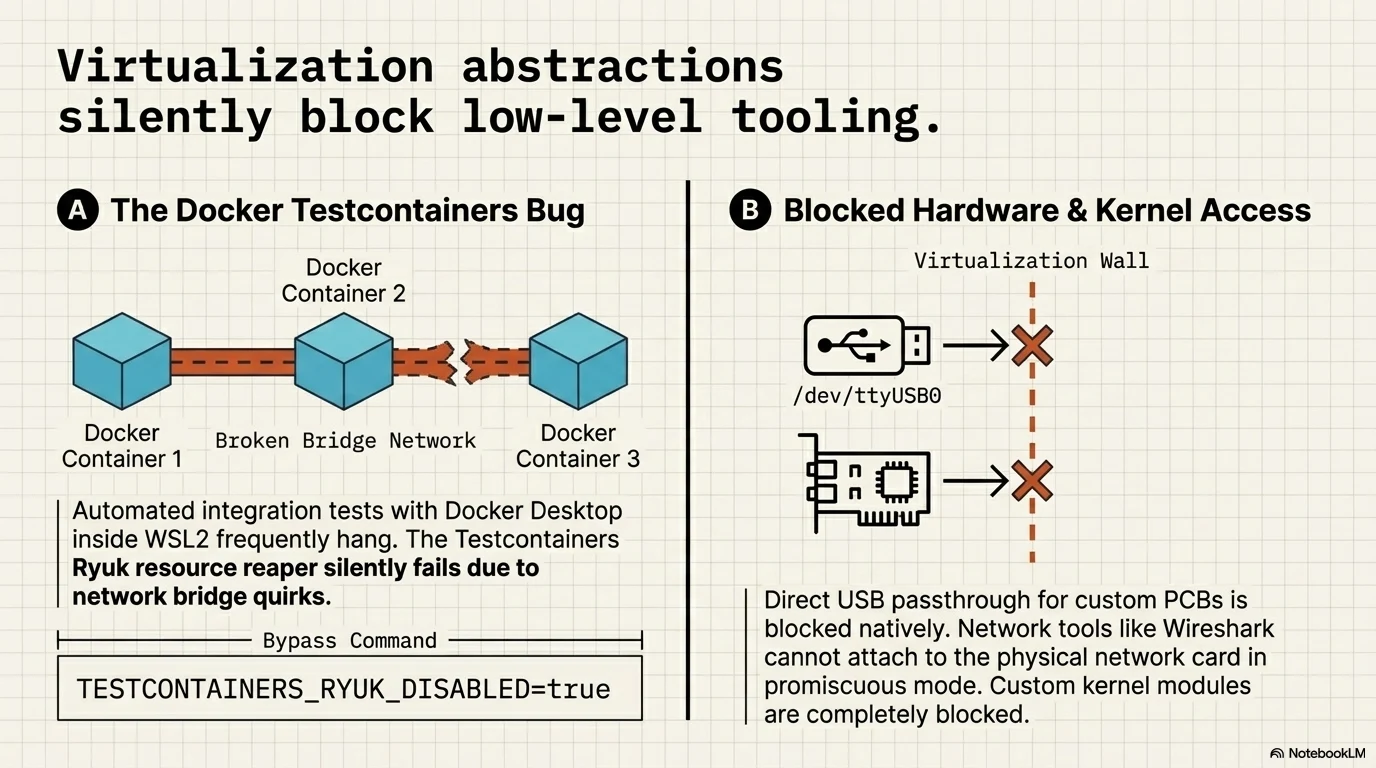
\r\n\r\n### Blocked Hardware: USB, Serial Ports, and Packet Capture\r\n\r\nDeveloping for Arduino, Raspberry Pi, or any custom PCB requires direct access to /dev/ttyUSB0 or similar serial ports. WSL2 blocks direct USB passthrough natively. Network packet capture tools like Wireshark and tcpdump suffer from significant limitations because they cannot attach to the physical network interface card in promiscuous mode. Kernel modifications and loading custom kernel modules remain completely blocked.\r\n\r\n## The Decision Framework: Stay or Switch?\r\n\r\nYour daily stack dictates the right tool for the job. Do not wipe your hard drive just for terminal aesthetics.\r\n
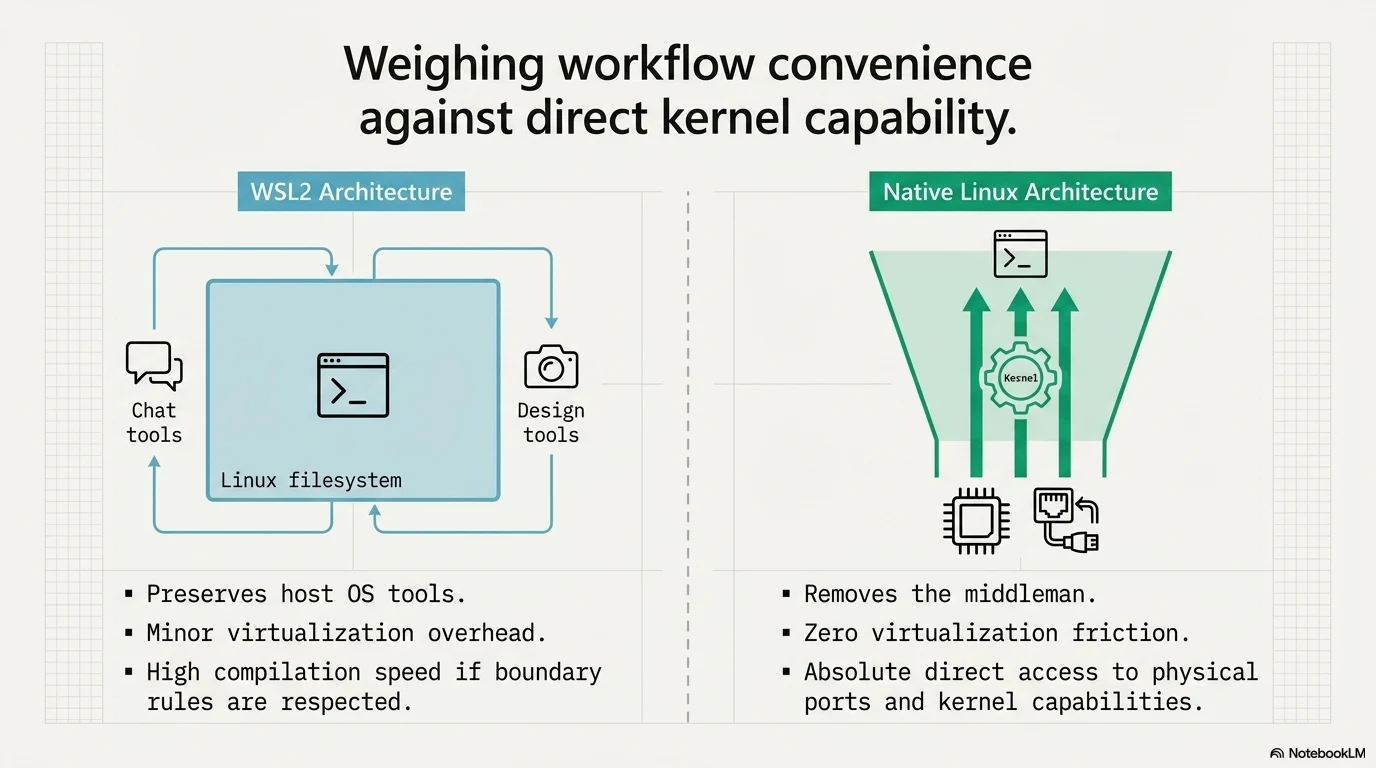
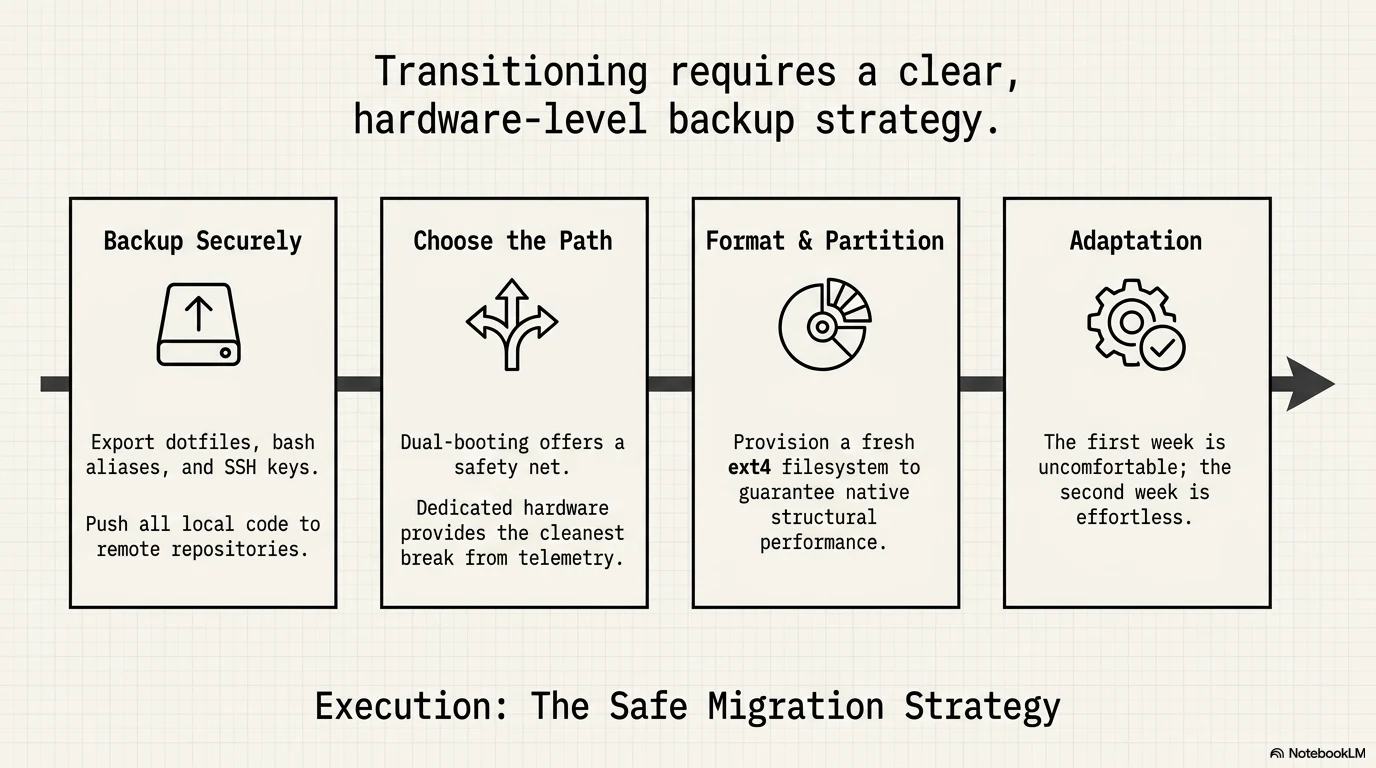
\r\n\r\n### Stay on WSL2 If...\r\n\r\nYou build standard web applications, manage cloud infrastructure via Terraform, or write backend services in Go or Python. Keeping your code inside the WSL filesystem guarantees excellent compilation speeds. If virtualization errors pop up, you can install WSL2 on Windows from scratch or enable Hyper-V on Windows 11 properly to resolve most configuration state bugs. The convenience of keeping Windows for Slack, Photoshop, or testing outweighs the minor virtualization overhead.\r\n\r\n### Switch to Native Linux If...\r\n\r\nYour daily tasks involve embedded systems, flashing microcontrollers, or deep network inspection. Dealing with heavy Docker orchestrations that require custom kernel capabilities also demands a native environment. If your code, tools, and terminal all live in Linux anyway, keeping Windows in the middle just adds unnecessary friction and a wider attack surface.\r\n\r\n## How to Migrate from WSL2 to Native Linux Safely\r\n\r\nTransitioning requires a clear backup strategy for your development environment. Export your dotfiles, bash aliases, and SSH keys securely before touching the disk partitions. Dual-booting offers a safety net during the transition phase, but dedicated hardware provides the cleanest break from Windows telemetry and update cycles. Push all local code to remote repositories and format a fresh ext4 partition. Most developers who make this switch find the first week uncomfortable and the second week effortless.\r\n
\r\n