
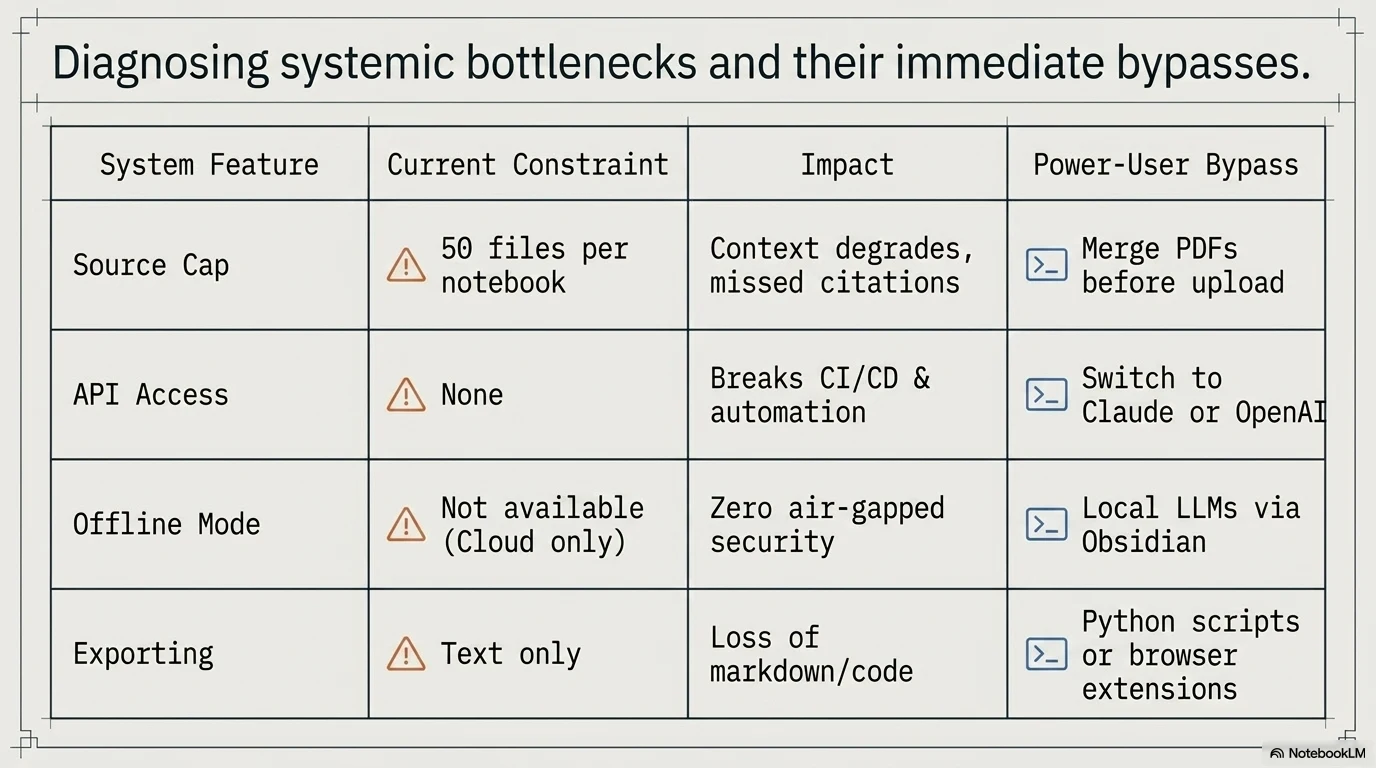
Pushing 50 PDFs into a project only to watch the AI hallucinate or realizing your entire workflow is trapped without an API is a harsh wake up call. Relying on an isolated ecosystem completely breaks enterprise automation and long term knowledge scaling.\r\n\r\n| Feature | Current Limit | Workaround or Status |\r\n| :--- | :--- | :--- |\r\n| Source Cap | 50 files per notebook | Merge PDFs before upload |\r\n| API Access | None | Switch to Claude or OpenAI |\r\n| Offline Mode | Not available | Local LLMs via Obsidian |\r\n| Exporting | Text only | Python scripts or browser extensions |\r\n\r\n\r\n
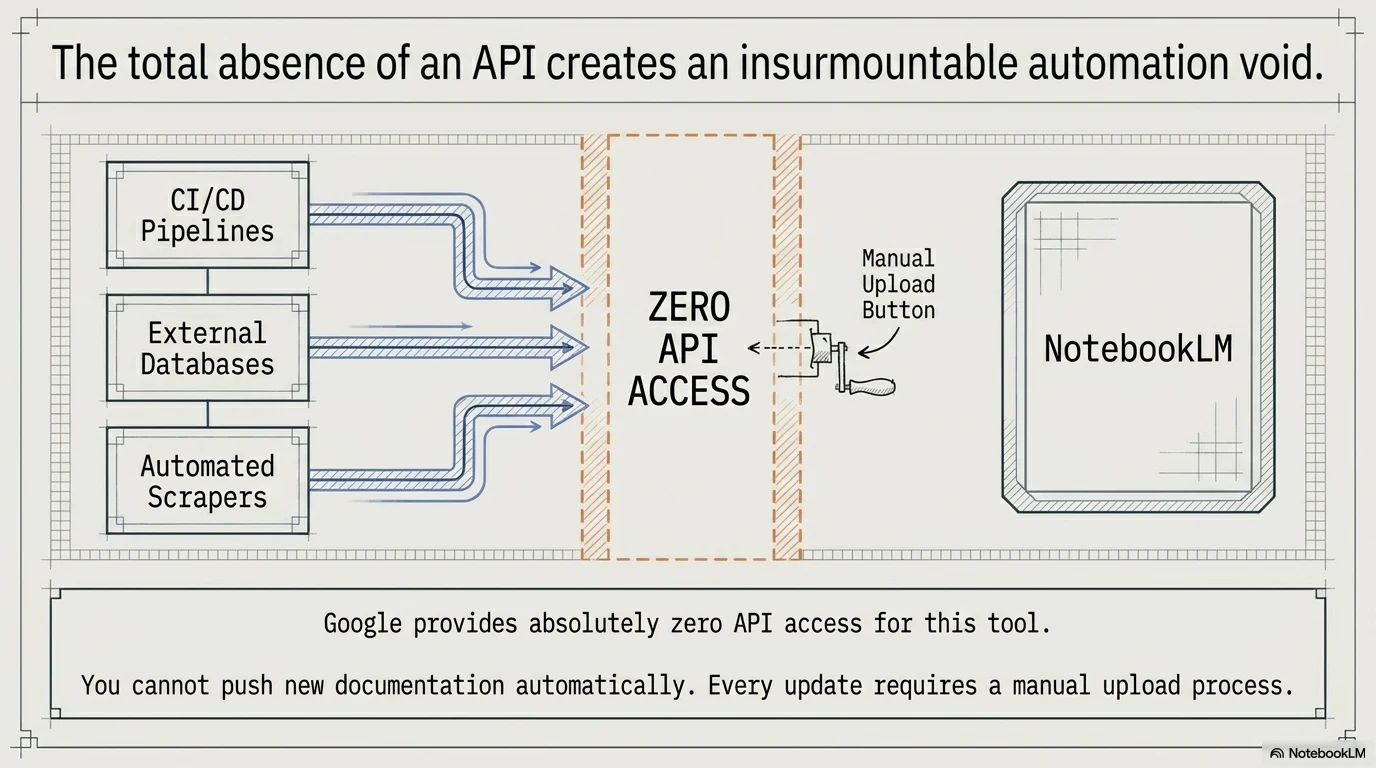
\r\n## The Hard Limits: Where NotebookLM Falls Short\r\n\r\n### The 50-Source Cap and Context Degradation\r\n\r\nNotebookLM starts struggling with accuracy long before you hit the hard 50 source limit. Uploading heavy documentation sets leads to noticeable performance drops and missed citations. The system isolates each notebook completely. You cannot cross reference data between different projects.\r\n\r\n### No API Access: The Ultimate Automation Roadblock\r\n\r\nBuilding automated workflows is impossible because Google provides absolutely zero API access for this tool. You cannot push new documentation automatically from your CI/CD pipelines. Every update requires a manual upload process. If you need AI automation workflows that connect to external systems, NotebookLM simply is not built for that. This makes it a standalone sandbox rather than a scalable enterprise tool.\r\n
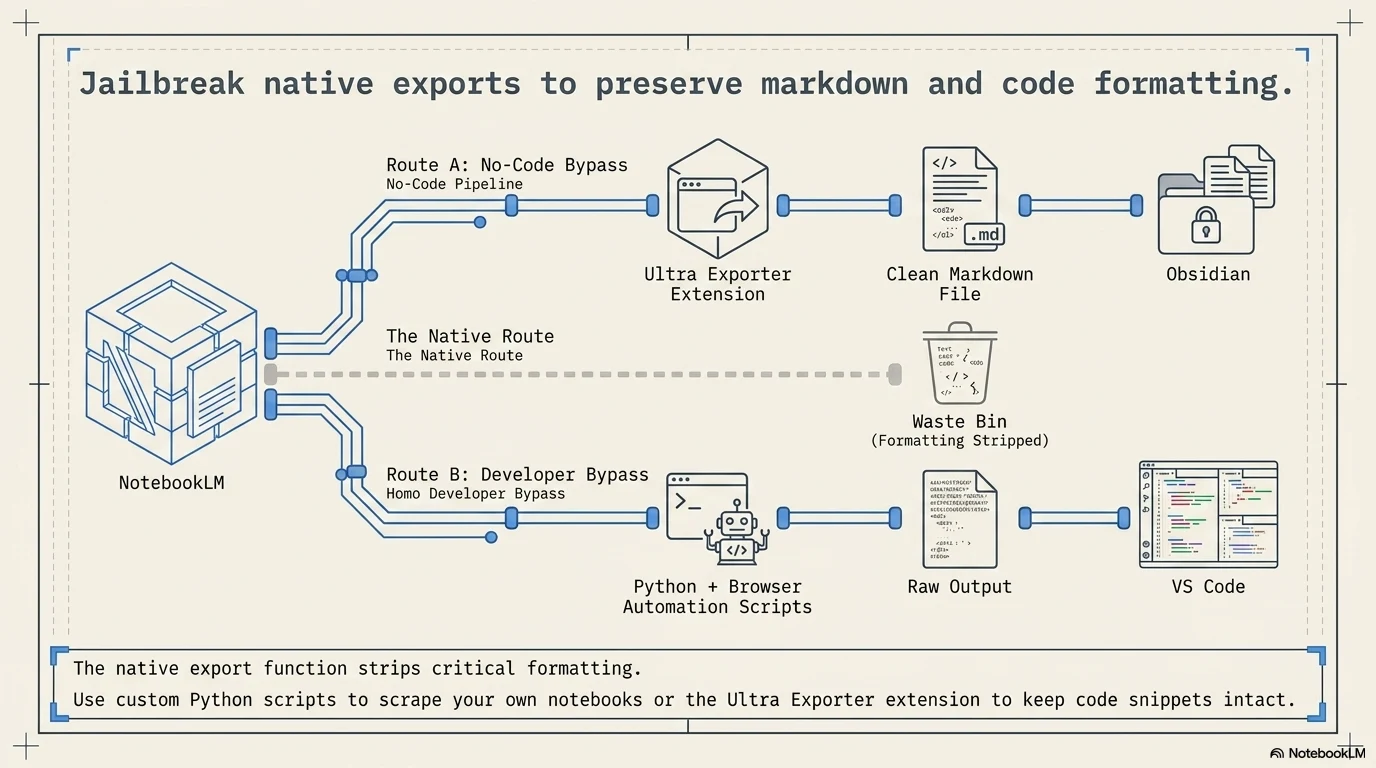
\r\n\r\n### Data Privacy Limits and the Missing Offline Mode\r\n\r\nEverything you upload lives exclusively on Google servers. There is no self hosted version and no offline mode available on any tier. Working on confidential codebases or proprietary research while flying or off the grid is out of the question. You are entirely dependent on their cloud infrastructure.\r\n\r\n### Audio Overview Constraints\r\n\r\nThe podcast generation feature is incredibly popular but lacks professional utility. You can download the M4A audio file, but the system refuses to generate a written transcript. It also fails to cite which specific sources the AI hosts are discussing at any given moment. This makes verifying the audio claims extremely tedious.\r\n\r\n## Proven Workarounds for Power Users\r\n\r\nSeveral of these roadblocks have practical bypasses worth knowing.\r\n\r\n### Exporting Data: Markdown, Extensions, and Python Scripts\r\n\r\nThe native export function is practically useless for complex projects. Install the NotebookLM Ultra Exporter browser extension to pull your notes with proper markdown formatting. Power users can also run custom Python scripts utilizing browser automation tools to scrape their own notebooks. Pasting the raw output directly into VS Code or Obsidian keeps your code snippets intact.\r\n
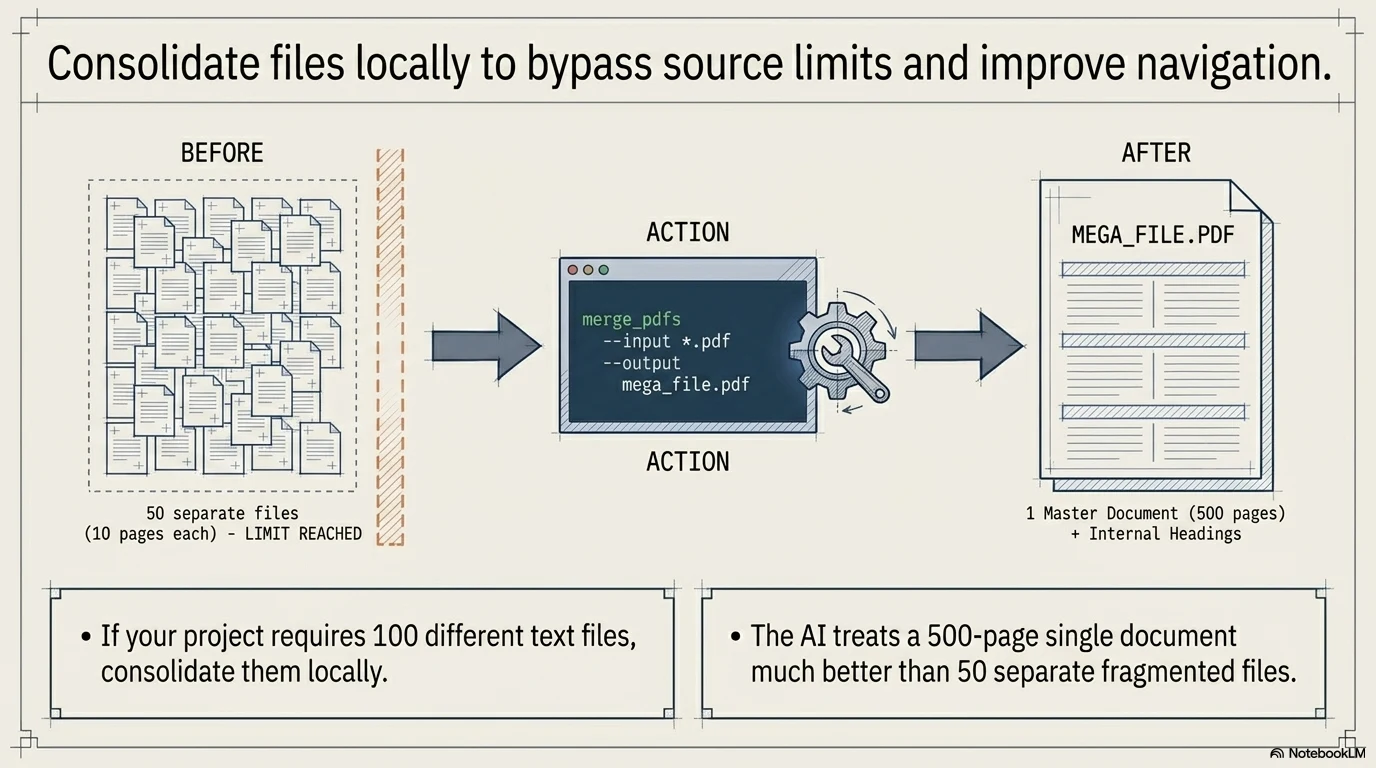
\r\n\r\n### Bypassing Source Limits with Merged Documents\r\n\r\nIf your project requires 100 different text files, you need to consolidate them locally. Use a simple terminal command or a PDF merging tool to combine multiple files into one massive document before uploading. The system treats a 500 page single document much better than 50 separate 10 page files. Just remember to add clear internal headings so the AI can navigate the merged file.\r\n
\r\n\r\n## When Do These Limitations Actually Matter?\r\n\r\nNot every restriction will ruin your specific workflow. Understanding your end goal is the key to choosing the right platform.\r\n\r\n### Single-Project Research vs. Long-Term Knowledge Graphs\r\n\r\nIf you are analyzing a single financial report or summarizing a specific code repository, the isolated notebooks work flawlessly. The problems only arise when you try to build a lifelong second brain. NotebookLM forgets everything outside the current active workspace. You need a different tool for interconnected knowledge graphs.\r\n\r\n## Best Alternatives to NotebookLM\r\n\r\nMoving away from Google means choosing a tool designed specifically for your missing use case. Here is the breakdown for your next move.\r\n
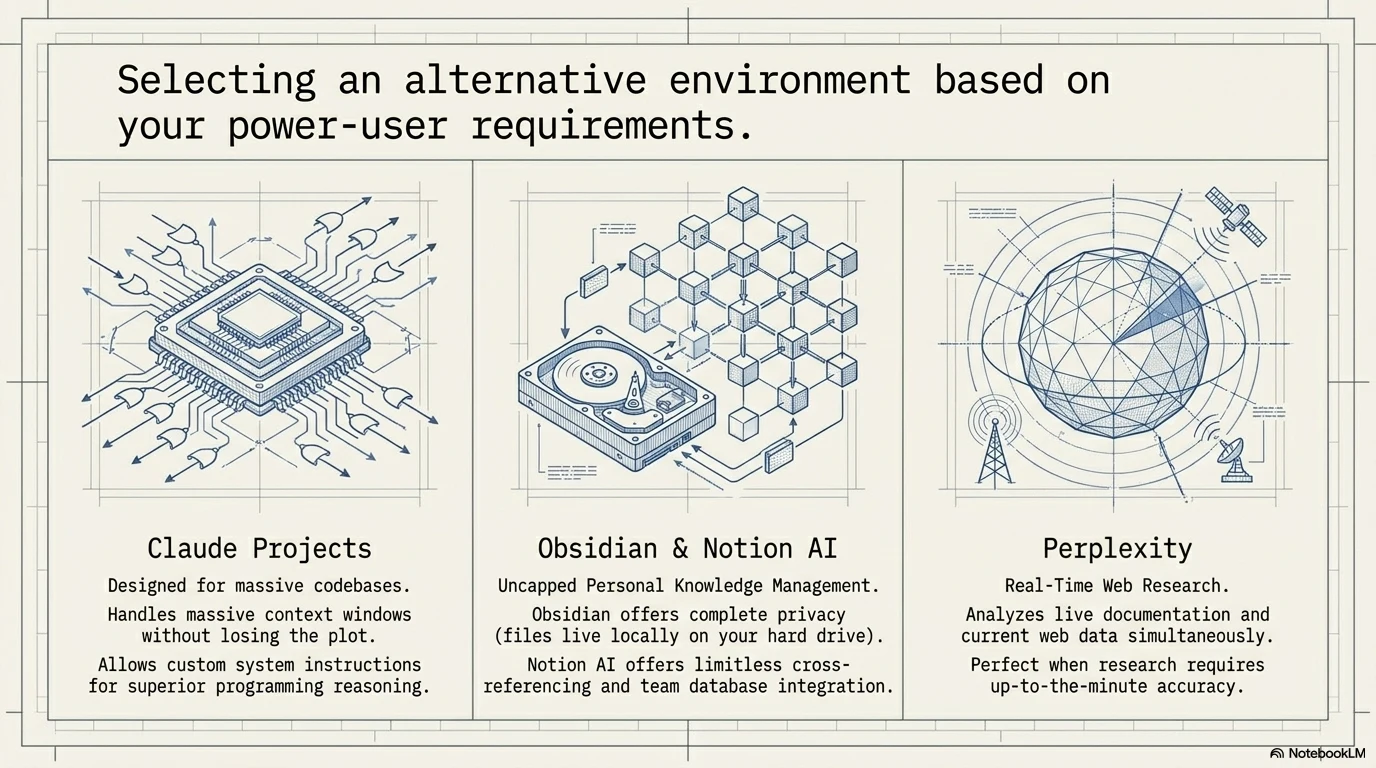
\r\n\r\n### Claude Projects: Superior Context and Prompting\r\n\r\nAnthropic designed Claude Projects specifically for massive codebases and complex documentation. It handles a massive context window without losing the plot and allows you to set custom system instructions. You get much better reasoning capabilities for programming tasks compared to Google.\r\n\r\n### Obsidian and Notion AI: Uncapped Personal Knowledge Management\r\n\r\nSwitch to Obsidian if privacy and offline access are your top priorities. All your markdown files live locally on your hard drive. Notion AI is the better choice if you need limitless cross referencing and seamless database integration for team collaboration.\r\n\r\n### Perplexity: Real-Time Web Research Integration\r\n\r\nNotebookLM cannot search the live internet to update its knowledge. Perplexity excels at analyzing live documentation and current web data simultaneously. Use it when your research requires up to the minute accuracy alongside your uploaded files.\r\n\r\n## How to Migrate Your Data Out of NotebookLM\r\n\r\nGetting your notes out requires a methodical approach because there is no bulk export button. First, prompt the AI to generate a comprehensive markdown summary of all your pinned notes and saved responses. Copy this raw markdown and paste it directly into your local editor. Download your original source files manually if you do not have local backups. Rebuilding the connections in your new tool takes time, so map out your folder structure beforehand.