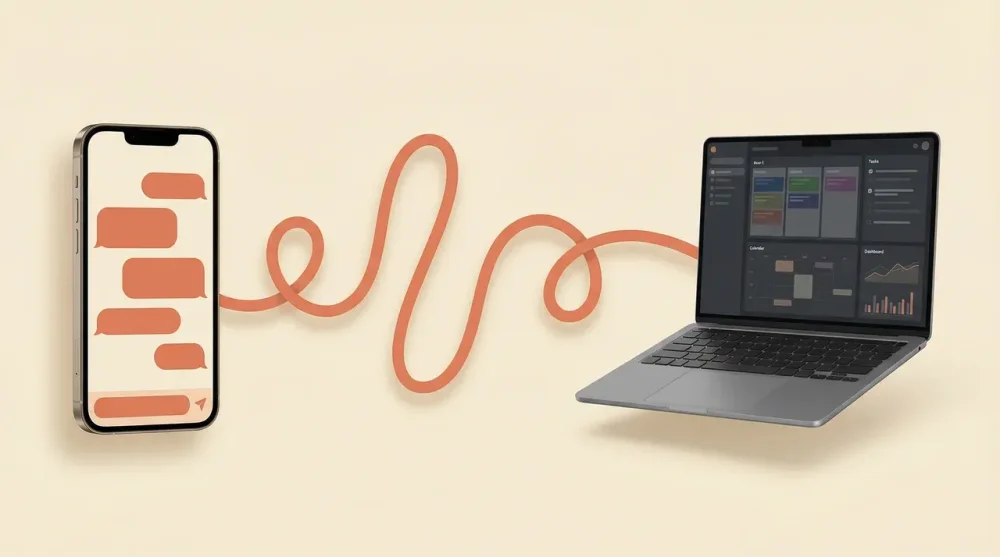
Forgetting to run a critical local script before leaving the office usually means your entire schedule is ruined. Claude Dispatch solves this by turning your phone into a direct remote control for your desktop environment, letting you execute complex local file tasks from anywhere.
[dvc-checklist title="Dispatch preflight"] Desktop stays awake and connected. Inherited permissions are reviewed before remote execution. Sensitive files and destructive tasks stay out of unattended requests. [/dvc-checklist]
- Requirements: macOS or Windows x64
- Desktop State: Must remain awake and connected to the internet
- Pricing: Requires Claude Pro ($20/mo), Max ($100/mo), or Max 20x ($200/mo)
- Free Plan: Not supported
How Claude Dispatch Actually Works
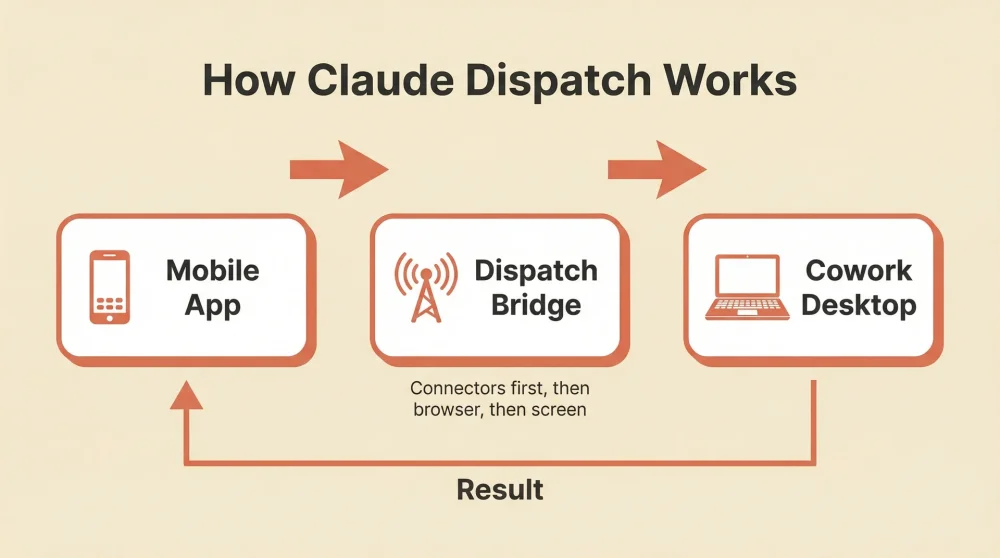
Dispatch acts as a seamless bridge between your mobile device and your computer. It inherits all permissions automatically from the Cowork desktop application. You do not need to configure separate API keys or complex backend endpoints.
The system analyzes your incoming task and routes it to the appropriate local environment. It sends development tasks directly to AI coding agents like Claude Code while pushing standard knowledge work to Cowork. Context remains perfectly intact across the entire conversation thread.
Auto-Prompt Generation and Sub-Agents
You send a very basic text command from your phone while walking down the street. Dispatch catches this and auto-generates a highly detailed technical prompt for the desktop environment. It does the heavy lifting of translation between human intent and machine execution.
Each dispatched task spins up as an independent sub-agent on your machine. The system tries dedicated connectors like Gmail or Drive first. It resorts to direct browser navigation and screen control only if native integrations fail.
Step-by-Step: Setting Up Dispatch on Mobile and Desktop
Update your desktop application and your mobile app to the absolute latest versions. Open the Cowork interface on your desktop and click Dispatch in the left panel to begin. Click the Get Started button.
Configure your local file access permissions and verify your keep-awake settings. Your computer screen going to sleep will instantly halt any active execution.
The QR Code Pairing Process
Pairing your devices is straightforward. You can either log in with the exact same account credentials or scan the generated QR code on your monitor. Start sending tasks directly from the mobile Dispatch thread the moment the devices sync.
Real-World Capabilities: What Can You Actually Do?
You can instruct your computer to analyze local PDFs, write reports, and save them to specific folders while you are outside. It handles file creation and deep text analysis without requiring you to touch a keyboard.
Setting up a complete workflow automation process is now a mobile task. You tell your phone to compile the weekly metrics. The desktop application opens Excel, gathers the data, creates a multi-sheet budget dashboard, and formats the cells autonomously.
Browser Control and Scheduled Tasks
The system controls your browser via the official Chrome extension. It navigates web pages, clicks buttons, and extracts data exactly like a human operator. You can also configure a recurring morning automation workflow to summarize specific emails before you wake up.
The Hidden Security Risks of Remote AI Control
Giving an AI model full access to your local machine introduces serious security considerations. The system does ask for permission before accessing each new application, and trading platforms are blocked by default. You must configure your own custom blocklists for sensitive folders.
If a malicious actor compromises your mobile Claude account, they gain full remote desktop access to your computer. Treat your AI credentials exactly like your primary bank password. Close the application completely when you are not actively using it.
Practical steps to reduce exposure: enable two-factor authentication on your Claude account, add sensitive folders and financial apps to the custom blocklist, and quit the Cowork desktop app when you leave for the day rather than leaving it running in the background.
The MacBook Lid-Closed Vulnerability
macOS power management creates a unique and concerning behavior. The system continues to operate and manipulate files even when your MacBook lid is fully closed inside your backpack. You might have an active AI agent modifying local documents without any visual indicator on your screen.
Prompt injection via downloaded documents is another known attack vector. A malicious PDF can theoretically hijack the sub-agent and execute harmful commands on your local drive.
Claude Dispatch vs. ChatGPT Operator
ChatGPT Operator runs entirely in a cloud-based virtual browser environment. It operates fast for simple web research but has zero access to your physical hard drive. You do not even need a desktop app to run it.
Dispatch takes the opposite approach by controlling your actual local machine. Your sensitive data and local files never leave your physical device. The choice depends entirely on whether you need cloud speed or local privacy.
Limitations: Is the Research Preview Ready for Daily Use?
You are currently restricted to a single conversation thread. You cannot run parallel conversations or execute multiple disparate tasks simultaneously. The system gets confused if you interrupt an ongoing process.
The actual reliability sits around 50 percent for complex multi-step instructions. Simple and strictly scoped tasks work well, but sprawling requests often fail midway. Consider these friction points carefully before investing in a Claude Pro subscription strictly for this feature.
As the research preview matures, Anthropic is expected to lift the single-thread restriction and improve task reliability. For now, start with well-defined, single-purpose commands and keep your account credentials locked down tight.