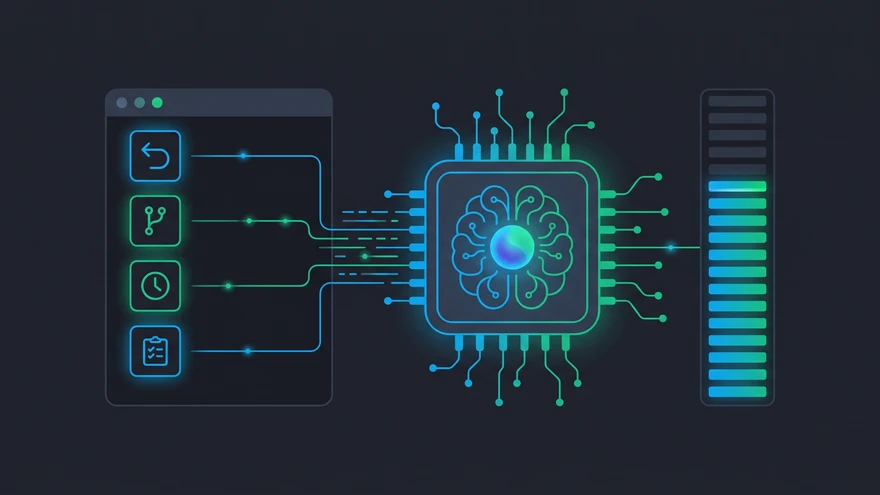
Hitting /clear instead of /compact halfway through a major refactor can wipe out hours of useful context. To work smoothly in Claude Code, it helps to know which command keeps that context intact when you're deep in a task.
[dvc-decision title="Compact or Clear?" label="Decision"]
Use /compact when the current task context still matters.
Use /clear only when you're starting a genuinely new task.
Use /rewind to undo recent turns without losing the whole session.
[/dvc-decision]
- Environment: Claude Code CLI (terminal-based)
- Primary cost constraint: token limits per session
- Core context workflow: /compact, then /plan, then /diff
- Emergency rollback: /rewind (restores a previous state)
- Background tasks: /btw (runs without disrupting the current context)
Managing Context: /compact vs /clear vs /rewind
If you like to keep working until a task is done, your token window matters. Let the context grow too large, and the AI may start making things up. Clear it too soon, and you lose the reasoning behind your work.
When to use /compact
The /compact command compresses your conversation history while keeping the main logic and file references. Use it when the prompt window is getting full but you're still in the middle of a task. Run it as is (/compact), or use /compact keep the auth refactor context, drop the earlier debugging to tell it what to focus on. Either way, you free up token space without having to explain the whole architecture again.
Why /rewind is safer than /clear
The /clear command wipes the slate clean, removing the context from your current session.
The /rewind command takes you back one or more turns. If a generated component goes badly wrong, you can undo that change without restating the rules you've already established. You keep the useful work and remove the recent mistake. Type /rewind on its own to see a picker of recent code and conversation checkpoints, then choose how far back to go.
Branching out with /branch
Use /branch to fork the current conversation into a separate session at the point you're at now. Both sessions share the history up to that point, then go their own ways. It's useful for testing a risky idea: try a different architecture in the branch, and if it doesn't work out, switch back to your original session.
The Refactoring Combo: /plan, /diff, and /review
Vague requests can leave you with messy code and wasted API calls. A clear sequence helps you stay on track.
Structuring complex changes with /plan
Start a major feature with /plan. It gets the AI to outline the files, imports, and logic it expects to change before writing code. That gives you a chance to adjust the approach before spending tokens on the implementation.
Catching errors with /diff before committing
Once the code is generated, run /diff. Looking at the exact line changes helps you catch broken logic or stray console logs before they reach your production branch. If a teammate needs to approve the change, a clean, checked diff shows them what changed without making them reread whole files.
Handling Mid-Task Interruptions Without Losing Progress
It's hard to stay focused when you have to leave a complex API route to fix a small CSS typo somewhere else.
How the /btw command saves your context
Instead of stopping your main task, type /btw fix the typo in utils.js. The AI handles the small side task without interrupting your main conversation. Your current context stays in place, so you can make a quick fix and carry on.
Automating the Boring Stuff: /loop and /schedule
Routine debugging can take too much manual attention. /loop 5m reruns a task at an interval you set, which is handy for watching a build or test suite while you're at your keyboard. It stops when you close the session. /schedule handles unattended work: it creates a task that runs on a cron schedule even when your machine is off. Use /loop when you're monitoring something now, and /schedule when it needs to run without you.
Hidden Claude Code Commands You Actually Need
Beyond the usual file operations, a few lesser-known commands can change how you use the CLI.
Unlocking deep reasoning with ULTRATHINK
Standard generation may struggle with complex logic. Adding ULTRATHINK anywhere in your prompt pushes the model into its maximum reasoning mode, giving it more room to work through a problem before answering. Output takes longer, but it can reduce errors in math-heavy or highly concurrent code. Save it for a particularly difficult function rather than using it throughout a session; the extra reasoning uses tokens too.
Using /advisor and skill-creator
/advisor doesn't solve a problem itself. It lets you choose which model gets consulted when your main model faces an unclear failure, a choice between two reasonable designs, or a final check before calling a task done. Run /advisor once to choose the model. After that, consultation happens at those points, rather than on every response. It's an Anthropic API feature, so it won't appear if you use Claude Code through Bedrock or another cloud provider.
skill-creator helps you build your own skills. Install it, then give it a workflow you repeat, such as your Git routine or a regular bash sequence. It guides you through turning those steps into a reusable skill, so you don't have to explain them again each session.
I started using /branch after I lost a whole working session by hitting /clear out of habit during a monorepo migration. Now I give experiments their own branch before trying them, and save /clear for when a conversation is actually finished, rather than using it when a task feels stuck.
If you also use Claude Dispatch to start sessions from your phone, /schedule can turn that setup into a pipeline that runs without you watching it from bed.
Built-In Command Reference
Claude Code's commands cover more than context recovery. They also handle session setup, model selection, parallel work, integrations, and diagnostics.
Session setup and model control
Use /init to generate project memory guidance, /context to check token usage, /model to switch models, and /effort to adjust reasoning depth.
Parallel execution with /batch
Use /batch when you can split the same change across separate Git worktrees. It suits repeatable work across files, rather than a single complex feature.
Skills, MCP, and diagnostics
Built-in commands perform fixed CLI actions. Skills load reusable procedure files. /mcp connects external tools such as browsers or databases; /doctor checks installation health; and /debug traces a failed runtime workflow.